Technical SEO Audit Checklist: 12 Checks, Run on Our Site
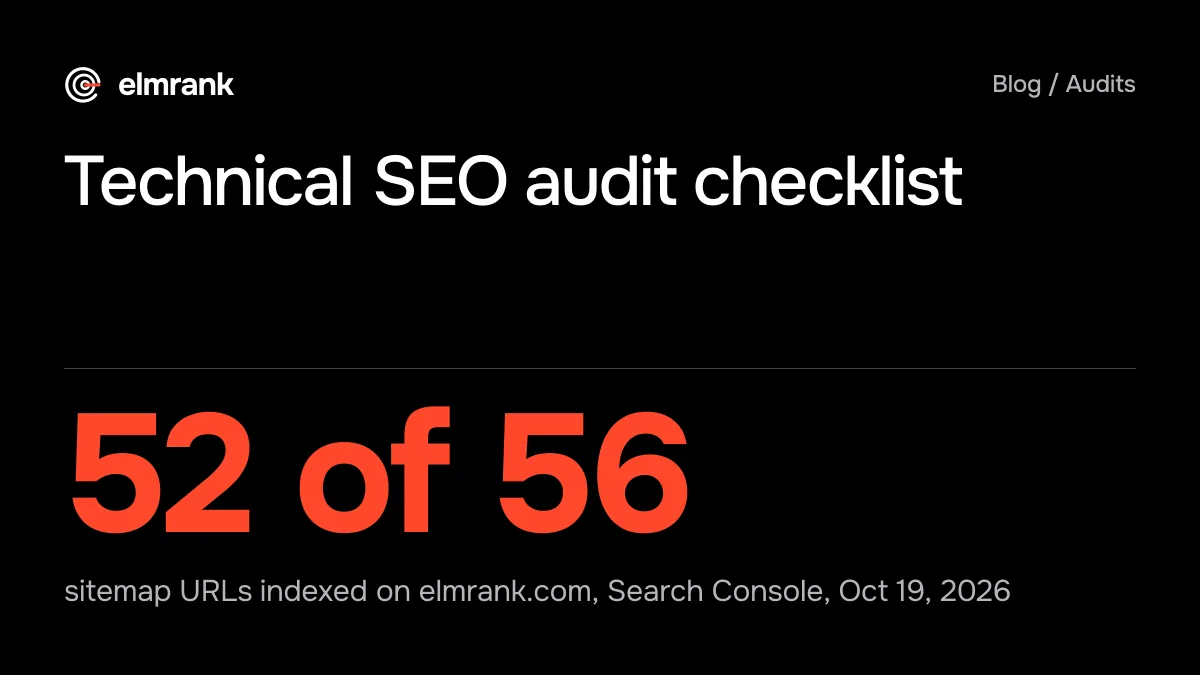
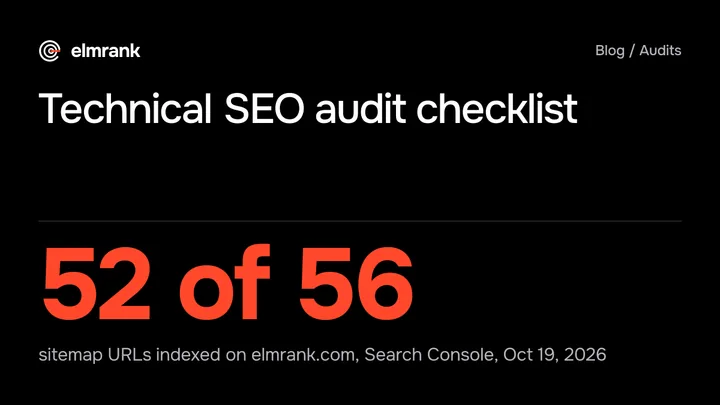
A technical SEO audit checklist in 12 checks, built on Google's own rules, and what it found on our site five days after launch: 52 of 56 pages indexed.

By Tyler Phan4 min readLast reviewed
Part of our guide to technical SEO
On this page
"I'm looking for someone to audit my website, but i'm unsure if I should get someone or if there's some kind of automated online tool for it," a site owner wrote on r/SEO on October 17. Either way, the technical part of an audit comes down to the same dozen checks, and nearly all of them are free to run yourself.
On October 19 we ran them on elmrank.com, five days after we submitted its sitemap to Google. Of the 56 URLs in the sitemap, Search Console had indexed 52. Two had been crawled and left out, and two were published that day and not yet known to Google. We also found one redirect that takes two hops where one would do.
The 12 checks cover crawling, indexing, rendering and the basics of each page. They leave out deeper work an audit of a larger site would add: server log analysis, international sites (hreflang), duplicate content and pagination at scale, links from other sites, and content quality. Our sitemap grows as we publish, so the counts below describe October 19.
- Something to fix, checks 5 and 8
- Watch, nothing to change yet, checks 1 and 9
- Flagged by a tool, not a problem, check 12
- Passed, checks 2, 3, 4, 6, 7, 10 and 11
Can Google find and index your pages?
These four come first because nothing after them matters for a page that isn't in Google.
1. Index status
Open Search Console's Page indexing report, then run URL Inspection on the pages that earn you money. We ran it on all 56 sitemap URLs through the Search Console API: 52 "Submitted and indexed", 2 "URL is unknown to Google" (both published on October 19), and 2 "Crawled - currently not indexed". One of those two is our own post on why a website doesn't show on Google, which is a little embarrassing. Google's help page says that status means "The page was crawled by Google but not indexed. It may or may not be indexed in the future; no need to resubmit this URL for crawling." So we're leaving both alone and checking again in two weeks. On a site five days old, we'd only worry if the share kept growing.
To run it: in Search Console, open Indexing, then Pages, and read the reasons listed under "Why pages aren't indexed". For a single URL, paste it into the inspection bar at the top of Search Console.
2. robots.txt
Google says robots.txt "is used mainly to avoid overloading your site with requests; it is not a mechanism for keeping a web page out of Google." Check that it doesn't block anything you want found. Ours allows everything except one test page and lists the sitemap.
3. noindex tags
A stray noindex from a staging setting or a plugin removes pages without any error. Check the robots meta tag on your key templates. None of our 56 sitemap pages has one. Our 404 page has two (one says "noindex", the other "noindex, nofollow"); both keep it out of Google, so it's untidy rather than wrong. Don't combine noindex with a robots.txt block: Google says that if "the page is blocked by a robots.txt file or the crawler can't access the page, the crawler will never see the noindex rule."
To run it: open a page with view-source (type view-source: before the address in Chrome) and search for <meta name="robots". A noindex can also arrive as an HTTP header, which curl -sI https://yoursite.com/page shows as x-robots-tag.
4. Status codes
Every page you want indexed should answer 200, and pages that don't exist should answer 404. Google notes that a 200 "doesn't guarantee indexing", but anything else in the sitemap is a problem. All 56 of ours answer 200, and made-up URLs return 404.
Is each page the one you meant?
5. Redirects
Old URLs should reach the new one in a single permanent redirect. Google says "By default, Google's crawlers follow up to 10 redirect hops," so two hops won't break anything, but each one is a request you don't need. This is the technical fix we'd make first. http://www.elmrank.com redirects to https://www.elmrank.com, which redirects again to https://elmrank.com. One rule at the CDN that sends every variant straight to the final address would make it a single hop. The other variants, plain http, www over https and a trailing slash, already take one hop each.
To run checks 4 and 5: curl -sI -L http://www.yoursite.com/page prints every response on the way, with its status code and location line. Count the redirect status lines (301, 302, 307 or 308): each one is a hop. Other lines, such as a 103 Early Hints response some servers send first, aren't redirects. Ours printed two 301s.
6. Canonical tags
Each page should name itself as canonical unless it's a deliberate duplicate. All 56 of ours do. URL Inspection also shows the canonical Google picked, which is worth comparing with yours on pages that won't index.
7. The sitemap
Google's limit is "50MB (uncompressed) or 50,000 URLs" per file, it ignores priority and changefreq, and it uses lastmod only "if it's consistently and verifiably" accurate. List only pages that answer 200 and point to themselves. Ours has 56 URLs, all 200 and self-canonical, and the Sitemaps report shows 0 errors and 0 warnings, last downloaded by Google on October 18 (UTC).
8. Internal links
A page no other page links to is hard for Google to find and easy for you to forget. We collected the links on all 56 pages: none is orphaned, but five of our comparison and hiring posts are linked only from the blog index and their category page. They could use links from related posts. One of the five is a post Google crawled and didn't index; we can't tell whether the two are connected.
Does it load and render?
9. Core Web Vitals
Google's targets are LCP "within the first 2.5 seconds," INP "of less than 200 milliseconds" and CLS "of less than 0.1." Lighthouse measures lab numbers on one emulated phone, and our three runs on our SEO audit cost post gave an LCP of 3.6, 2.0 and 3.8 seconds, with CLS at 0 every time. The home page stayed between 1.7 and 2.0 seconds. Lab numbers can swing that much from run to run, so we read three runs and don't act on one. Real-visitor numbers come from Search Console's Core Web Vitals report, and Google says: "If a URL group does not have a minimum amount of reporting data for both LCP and CLS, the URL is omitted from the report." That report has no API, so our October 19 audit didn't open it. With five days of visits we'd be surprised if elmrank.com had reached that minimum, so this one stays on watch. A standard Lighthouse page load doesn't report INP either, because INP needs real interactions.
To run it: PageSpeed Insights (pagespeed.web.dev) shows a Lighthouse run and, when Google has enough real-visitor data, the field numbers above it. Run the same page three times before you trust a lab number.
10. Rendering
If the text only appears after JavaScript runs, Google has to render the page to read it. The quick test is to fetch the page without a browser (curl, or "view source") and look for your main text. Ours is in the HTML the server sends.
To run it: curl -s https://yoursite.com/page | grep -c "a sentence from your page" prints 1 or more if the text is in the HTML the server sends, and 0 if it isn't. Pick a sentence without apostrophes or quotation marks, because the HTML often encodes them (an apostrophe can arrive as ') and grep won't match.
11. Structured data
Markup should describe what's on the page, and match what a reader sees. 52 of our 56 pages carry JSON-LD; the other four are the use cases, contact, terms and privacy pages, which don't need it. URL Inspection and Google's Rich Results Test show whether Google can read it.
Which tool warnings can you ignore?
12. Titles, descriptions and headings
Check that every title is unique and describes its page, and that each page has one main heading. Ours are unique, with one H1 each. Our crawl also flagged 30 titles over 60 characters and 5 meta descriptions over 160. Google says "there's no limit on how long a <title> element can be" and the same about meta descriptions; both are "truncated in Google Search results as needed, typically to fit the device width." We leave those flags alone.
That's the part of an audit a tool does well and a person has to filter. A freelance developer replying in an r/SEO thread about $10,000 audits, at 7 points, put it bluntly: "I've encountered a few data-first SEO consultants who'd be worth every penny of that 10k ... but for every 1 of those there's 99 snake oil salesmen who are just paraphrasing a free lighthouse (probably Claude now) audit." A useful audit says which warnings to ignore, and which changes to make first.
What an audit should leave you with
Ours left us two changes (the redirect, and links to five posts), two pages to recheck in two weeks and a list of warnings to ignore. We'd expect an older site to turn up more under checks 1, 5 and 6, because moved and merged pages pile up over the years.
If you'd rather pay someone, our post on SEO audit cost covers what audits cost and what each price buys, and SEO consultant vs agency covers who should make the changes. Our technical SEO page lists the fixes we make. The first month of our plan, $500, includes an SEO and GEO audit and the technical fixes (speed, indexing, schema and site structure). After that, $300 a month covers ongoing fixes and up to 30 articles, and the monthly report lists what we fixed; our sample report shows one, filled in with one of our own sites.
How we know this
Written by Tyler Phan. Every source below was read on the date shown; the page was last reviewed on Oct 28, 2026.
- r/SEO, Where can I audit my website? (post by u/thyparadoxparadox), accessed Oct 19, 2026
- r/SEO, $10,000 SEO Audit? What do you guys put in the SEO Audits? (comment by u/JohnCasey3306), accessed Oct 19, 2026
- Search Console Help, Page indexing report, accessed Oct 19, 2026
- Google Search Central, Introduction to robots.txt, accessed Oct 19, 2026
- Google Search Central, Block Search indexing with noindex, accessed Oct 19, 2026
- Google Search Central, How HTTP status codes and network errors affect Google Search, accessed Oct 19, 2026
- Google Search Central, Build and submit a sitemap, accessed Oct 19, 2026
- Google Search Central, Understanding Core Web Vitals and Google search results, accessed Oct 19, 2026
- Search Console Help, Core Web Vitals report, accessed Oct 19, 2026
- Google Search Central, Influencing your title links in search results, accessed Oct 19, 2026
- Google Search Central, Control your snippets in search results, accessed Oct 19, 2026
- Elmrank, audit of elmrank.com on Oct 19, 2026 (crawl of the sitemap, Search Console URL Inspection and Sitemaps APIs, Lighthouse 13.5 mobile, three runs per page), accessed Oct 19, 2026
Send us your site.
We reply within 12 hours with what we'd fix first. Then we run it for you, technical SEO and content: $500 for the first month, then $300 a month for up to 30 articles. You don't need any technical knowledge, and you can cancel any time.