Technical SEO: How Google Crawls and Indexes Our Sites
Technical SEO, stage by stage: how Google finds, crawls, renders and indexes pages, with numbers from our server log and URL Inspection on four sites.

By Tyler Phan7 min readLast reviewed
On this page
Technical SEO is the part of SEO that makes sure search engines can find your pages, fetch them, read them and add them to their index. Google describes Search in three stages, "and not all pages make it through each stage": crawling, indexing and serving search results. Technical SEO covers the first two. It doesn't decide the third, which page shows for which search, and the end of this post comes back to that.
We run three content sites (manhwa and anime, game news, a card game) and elmrank.com on one server, so we can watch each stage from both sides: our access log shows what Googlebot fetched, and Search Console shows what Google did with it. This guide walks through the stages in the order Google does, with our numbers, and links to the posts that cover each one in detail.
- 1DiscoveryLinks and sitemaps tell Google a URL exists
- 2CrawlingGooglebot fetches the page, as a phone
- 3RenderingChromium runs the page's JavaScript
- 4IndexingGoogle decides whether to keep the page
1. Discovery: how Google finds a page
Google finds a URL in one of two main ways. Its guide says pages are discovered "when Google extracts a link from a known page to a new page," and "when you submit a list of pages (a sitemap) for Google to crawl." Links come first in Google's own advice: "Every page you care about should have a link from at least one other page on your site."
The sitemap does more than it gets credit for. When we put 1,863 sitemap URLs from our content sites through URL Inspection, Google listed our sitemap and no linking page for 467 of the 1,761 that were indexed, and those were indexed at the same rate as pages with a linking page listed. Do you need a sitemap has the details, including the three seconds between submitting elmrank.com's sitemap and a Googlebot request for it.
Links still matter, for people as much as for Google. A crawl of two of our sites from their home pages found five tag pages in the sitemap that no crawlable link reached; how to find orphan pages shows the method. And how many internal links a page needs found that among articles at least 30 days old, the number of links pointing at a page made little difference to whether it was indexed.
For Bing and other engines there is IndexNow, which Google doesn't use. It delivered our URLs to Bing within a second, but in the next 24 hours Bingbot fetched 1 of the 51 we could check; does IndexNow work has the log.
2. Crawling: when Googlebot comes
A new page on a site Google already crawls doesn't wait long. On elmrank.com's launch, Googlebot's first fetch of a new post came a median 4.8 hours after it went live. The six posts we sent to Request Indexing within an hour of publishing were fetched 5 to 46 minutes after they went live. How long it takes Google to index a page follows each post into the index.
After that, Google decides how often to come back, page by page. Over 14 days of our log, the median page on our three content sites was fetched again every 1.8, 3.9 and 4.0 days, and the pages Google skipped most were the ones with no search impressions. How often does Google crawl a site has the counts and the Crawl Stats report that shows your own.
Every crawl is a phone. Google says it uses "the mobile version of a site's content, crawled with the smartphone agent, for indexing and ranking." URL Inspection agreed on our four sites: of 2,692 sitemap URLs Google had crawled when we checked on October 22, it had crawled every one as a smartphone and none as a desktop. Check pages on a phone-sized screen, not only on your laptop.
The crawl also needs an open door. robots.txt allowed Googlebot on every one of those URLs, and the server answered Googlebot's verified requests with a 5xx error 0.13% of the time over the period we checked for discovered, currently not indexed. If your server errors run higher, or your firewall blocks Google's addresses, fix that first: a page Googlebot can't fetch never reaches rendering or indexing.
3. Rendering: what Google reads
After fetching a page, Google runs its JavaScript. Its JavaScript guide says "Googlebot queues all pages with a 200 HTTP status code for rendering," and that "a headless Chromium renders the page and executes the JavaScript." Google then reads the rendered HTML "for links again" and "uses the rendered HTML to index the page." The page "may stay on this queue for a few seconds, but it can take longer than that."
That makes the question for your site simple: does anything important only appear after rendering? We checked on October 22 by loading 187 pages twice, once as the server sends them and once in Chrome after their scripts ran: 60 picked at random from the sitemaps of the manhwa site and the card game site, and all 67 on elmrank.com.
| Site | Pages compared | Links only after rendering | Words added by rendering |
|---|---|---|---|
| Manhwa and anime | 60 | 0 | 1.1% |
| Card game | 60 | 0 | 1.5% |
| elmrank.com | 67 | 0 | 0% |
Served HTML against the DOM after Chrome ran each page's scripts, phone-sized window, October 22, 2026. Words counted in the page body. Chrome waited up to 15 seconds for the network to go quiet before we compared.
No link appeared only after rendering, and the title, canonical and robots tag were the same before and after on every page. The words rendering added came from other companies' scripts: on card pages the labels of an ad block, on the manhwa site an ad partner's privacy notice. On every page we checked, the server had already sent the links, the title and, as far as our word counts show, the main text, so Google can read them on the first fetch.
One detail surprised us. elmrank.com's home page sends most of its text at the end of the HTML and moves it into place with JavaScript, the way our framework streams a page in parts. The words are in the HTML Google fetches, just not in reading order until the script runs. If you test pages with a tool that doesn't run JavaScript, count the whole body, not only the main column.
4. Indexing: what Google keeps
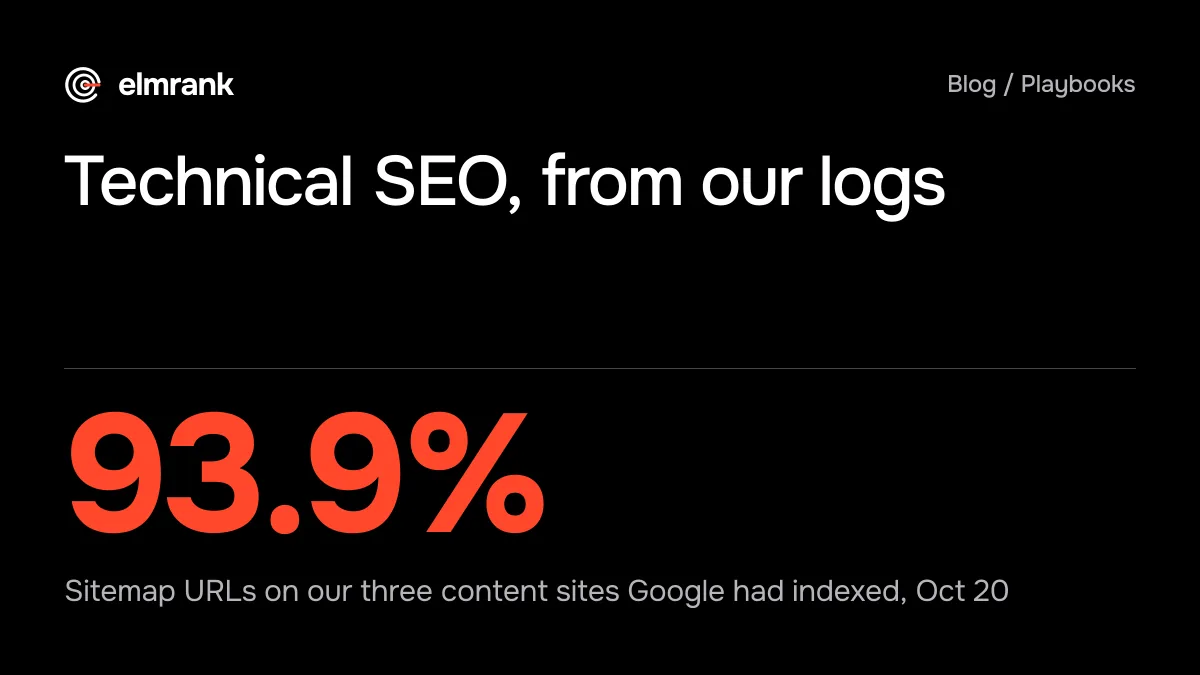
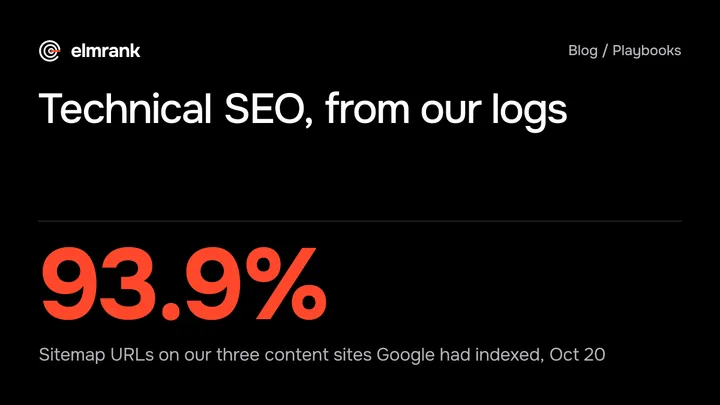
On October 20 we inspected every sitemap URL on the three content sites, 2,625 of them. Google had indexed 2,466, which is 93.9%.
- Indexed
- 2,466
- 93.9% of sitemap URLs
- Discovered, not crawled
- 26
- known but not fetched yet
- Crawled, not indexed
- 17
- fetched and left out
The rest were small groups, each with its own post. On the manhwa and card game sites, Google reported a noindex tag on 43 sitemap URLs, which means they shouldn't have been in the sitemap; crawled, currently not indexed covers that mistake and the 17 pages Google fetched and left out, 12 of them tag, genre or glossary lists. The 26 "Discovered - currently not indexed" pages were mostly new or had no linking page Google knew of, as discovered, currently not indexed shows. The last handful were 404s, soft 404s, URLs Google didn't know yet and one page where Google chose a different canonical.
That leaves canonicals and duplicates, which on our sites barely came up: one page out of 2,625. Our inspection covered sitemap URLs only, though, so it couldn't have caught duplicates that filters, tracking parameters or printer versions create outside the sitemap. If your site makes URLs like that, the canonical tag and the Page indexing report's duplicate statuses are where to look. Why your website isn't showing on Google lists the six reasons a page stays out and how to tell them apart in URL Inspection.
What we check, in order
Our audit follows the same stages. The technical SEO audit checklist has the 12 checks and what they found on elmrank.com five days after launch, when 52 of its 56 pages were indexed. In short:
- Page indexing report: how many pages are in, and the reason for each group that isn't
- URL Inspection on your key pages: last crawl, crawled as smartphone, canonical, indexing allowed
- robots.txt and server answers: no blocked paths you need, no run of 5xx errors in Crawl Stats
- A crawl from the home page: broken links, redirects, pages nothing links to
- Sitemap: only pages you want indexed, every one answering 200, submitted in Search Console
- Rendering: the content and links are in the HTML the server sends, or at least in the rendered page
- Speed on a phone: LCP within 2.5 seconds, INP under 200 milliseconds, CLS under 0.1
Fix them in that order. A fast page that isn't indexed doesn't get found, and a page Google can't reach won't be helped by a better title.
What technical SEO won't do
It won't make a page rank. Once a page is crawled and indexed, whether it shows for a search depends on what the page says and how well it answers. Of the 17 pages Google crawled and left out on our sites, most were list pages with little of their own. As far as Search Console shows, that points at the pages rather than the technical setup, but a live test in URL Inspection is how to rule out a technical cause. We also can't show from our data that a faster page ranks higher; we can show that a page Google can't fetch or chooses not to index gets no impressions at all.
What technical SEO does is remove reasons for Google to skip a page. On elmrank.com, five days after launch, 52 of its 56 pages were already indexed. On our content sites, a few months of templates, tags and filters left enough small problems to fill the posts linked above.
What we fix in the first month
Crawling, indexing, site structure and page speed are the first month's audit in our technical SEO service, and we make the fixes ourselves, in your code. The plan is $500 for the first month and $300 a month after. The checklist above is the order we'd work through on your site.
Every guide in this series
- Do You Need a Sitemap? What Google Did With Ours
Do you need a sitemap? Google says small, well-linked sites may not. What URL Inspection showed for 1,930 sitemap URLs on our four sites, and what we'd do.
- How Often Does Google Crawl a Site? 14 Days of Our Logs
How often does Google crawl a site? On our three sites, Googlebot came back to a page every 1.8 to 4 days and skipped 7% to 36% of pages for two weeks.
- Does IndexNow Work? What Bing Did With Our 58 URLs
Does IndexNow work? Bing checked our key within a second, then fetched 1 of 51 pages we sent, via a tagged link, in 24 hours. Our server log and the docs.
- Discovered - Currently Not Indexed? 26 Pages We Checked
Discovered - currently not indexed means Google knows a URL but hasn't crawled it. What 26 such pages on our sites had in common, and what we'd do first.
- Crawled - Currently Not Indexed? What We Found on 3 Sites
Crawled - currently not indexed means Google fetched the page and left it out. What 17 such pages on our sites had in common, and what we'd fix first.
- How Long Does It Take Google to Index a New Page?
Google says indexing typically takes a day or so. On our new domain, Googlebot fetched 22 of 25 launch posts within 8 hours. Our logs, and what sped it up.
- Technical SEO Audit Checklist: 12 Checks, Run on Our Site
A technical SEO audit checklist in 12 checks, built on Google's own rules, and what it found on our site five days after launch: 52 of 56 pages indexed.
- Why Is My Website Not Showing on Google? 6 Causes
Not on Google yet? Check time, noindex, robots.txt, canonicals, access errors and content quality, with Google's own wording for each Search Console status.
Questions
What is technical SEO?
Technical SEO is the work that lets search engines find, crawl, render and index your pages: links and sitemaps, robots.txt, status codes, noindex and canonical tags, server speed and how the page is built. It doesn't write the content or earn links. Google describes Search in three stages, crawling, indexing and serving, and technical SEO covers the first two.
How do I check my site's technical SEO for free?
Start in Search Console. The Page indexing report shows which pages are in Google and why the others aren't, URL Inspection shows one page's last crawl, canonical and indexing state, and the Crawl Stats report under Settings shows how often Googlebot comes and what your server answers. Add a crawl of your own site from the home page to catch broken links and pages nothing links to.
Does JavaScript hurt SEO?
Not by itself. Google says it queues every page that answers 200 for rendering in a headless Chromium, unless a robots meta tag or header tells it not to index the page, and indexes the rendered HTML. The risk is content or links that only exist after rendering, which wait in Google's render queue. On the 187 pages we compared across three of our sites, Chrome added no links and changed no title, canonical or robots tag, and as far as our word counts show, the main text was already in the HTML the server sent.
How we know this
Written by Tyler Phan. Every source below was read on the date shown; the page was last reviewed on Oct 30, 2026.
- Google Search Central, In-depth guide to how Google Search works, accessed Oct 22, 2026
- Google Search Central, Understand the JavaScript SEO basics, accessed Oct 22, 2026
- Google Search Central, Mobile site and mobile-first indexing best practices, accessed Oct 22, 2026
- Google Search Central, Link best practices for Google, accessed Oct 22, 2026
- Elmrank, URL Inspection of every sitemap URL on our four sites and a served-against-rendered comparison of 187 pages (October 22, 2026), with the data behind the posts linked here, accessed Oct 22, 2026
Send us your site.
We reply within 12 hours with what we'd fix first. Then we run it for you, technical SEO and content: $500 for the first month, then $300 a month for up to 30 articles. You don't need any technical knowledge, and you can cancel any time.